 Zapa Player
An IPTV player that rides out the dropouts
No IPTV provider streams without dropouts. Zapa Player rides them out, and tells you how many there were, how long they lasted, and whether it was your provider or your internet. The channels come from your Xtream account or your M3U playlist.
On the App Store now, for iPhone and iPad, with one purchase for both.
On Android —phone, tablet and Android TV— still in closed testing.
Why it keeps cutting out
An IPTV panel doesn’t serve like a streaming service: it serves in bursts. It goes quiet for a few seconds every few minutes and comes back. Most players take that silence for the end of the channel, give up, and leave you with a frozen frame and a spinner on top.
Zapa Player was written expecting that from day one.
Covers the short ones, recovers the long ones
Dropouts come from the provider, and nearly all of them last a few seconds. While it asks for the channel again, Zapa keeps playing what it already has. If the drop is long, it recovers the channel on its own, counting attempts so it never spins in a loop; and if the channel switches resolution mid-stream and the picture freezes, it asks for it again.
If a channel goes down and your list carries another version of it, it switches over, with a few seconds for you to cancel. And a film never loses its place: if the connection drops, it carries on right where you were.
Is it your provider or your internet? Zapa tells you
Zapa keeps the dropouts of the last seven days, each with its time and length: which ones it covered without you noticing, which ones you saw, and whether it was the provider or your connection. When you finish watching, it tells you how many it covered.
And if you're unsure about a channel, a one-minute test says whether your connection can hold it or whether the fault is upstream. No guessing.
Zapping by remote, not by menu
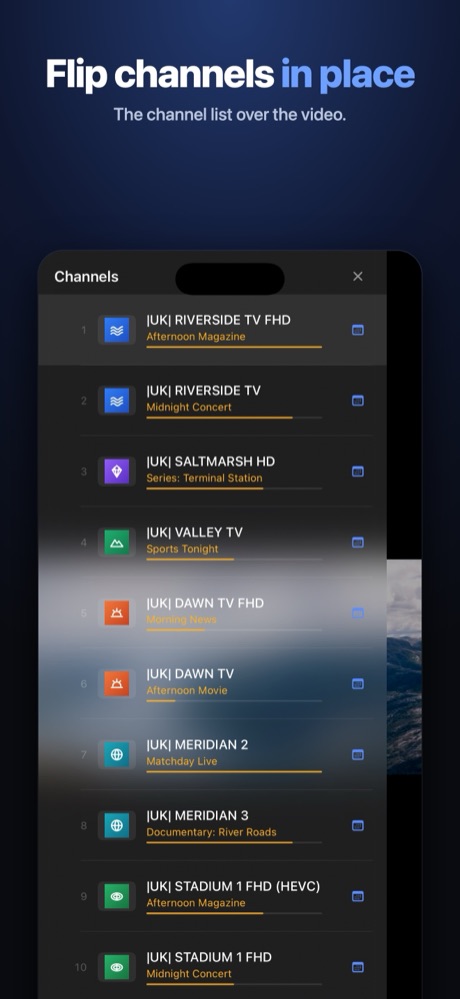
Up and down change channel in full screen, without going back to any list. OK opens the zap browser over the video, with groups and channels, and what's on right now in each one.
Closes one before opening the next
If your service only allows one connection — and nearly every cheap one does — changing channel without closing the previous stream is a guaranteed error. Zapa closes it first. It sounds obvious; almost nobody does it.
The guide your provider doesn't give you Full version
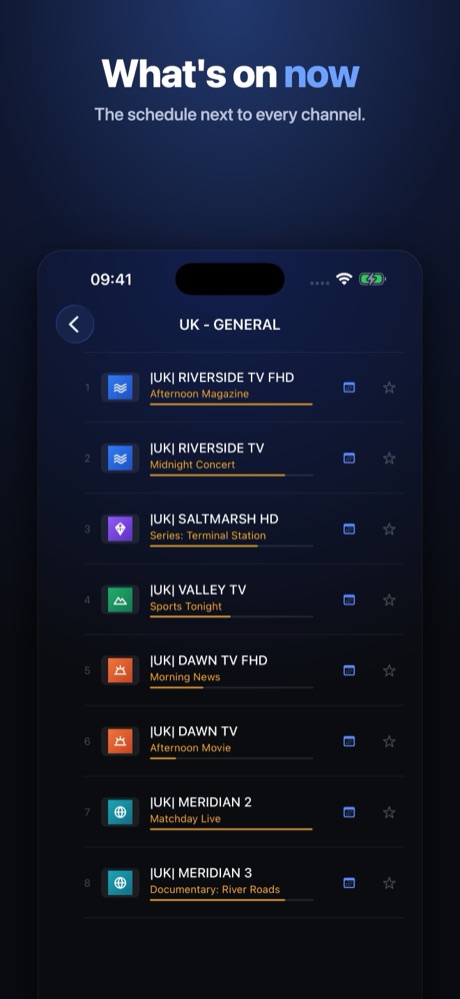
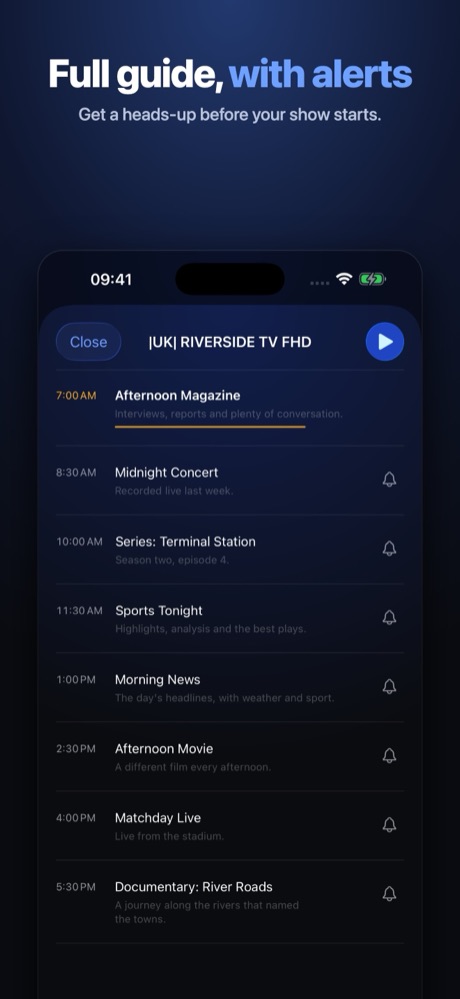
Most channels arrive with no schedule at all: the row shows a name and nothing else. Zapa completes the grid from open sources and stitches it to your catalogue by channel name.
And it does it on your own device. There's no server of ours in the middle, which is why this can't go down and can never turn into a fee for keeping it alive.
A live channel on the Chromecast, from your phone Full version
Send any channel to the Chromecast at home from your phone, and keep zapping from your hand while it plays on the big screen. Live channels included, which is what almost no app manages.
The video goes from your service to your phone and from your phone to the TV, over your own wi-fi. It passes through no server of ours, and carries enough buffer that a provider stumble never reaches the living room.
Everything else it does
Fourteen more things. The ones with a tag are paid for; the rest come as standard, with no expiry and no gate.
A report for your provider Full version
The dropouts of the last seven days, counted by Zapa, ready to send so you can complain with numbers instead of impressions.
Watch what already aired Full version
If your provider keeps what it broadcast, watch programmes from the last few days from the guide, or start one that's already under way from the beginning.
Recording on the device Full version · Android only
Pick a programme from the guide, or just a day and a time, and it records on its own to the drive you choose — nothing has to stay on screen. It uses one connection of your service while it runs, and needs a drive plugged in.
Programme reminders Full version
“Tell me when it starts” — and the reminder still fires even if you rebooted the device in between.
Picture in Picture Full version
The player stays in a corner of the screen while you use another app or the browser, with previous, next and pause to hand.
Playing with the screen off Full version
For talk shows and radio-on-television, where pixels and battery are wasted.
Films and series done properly
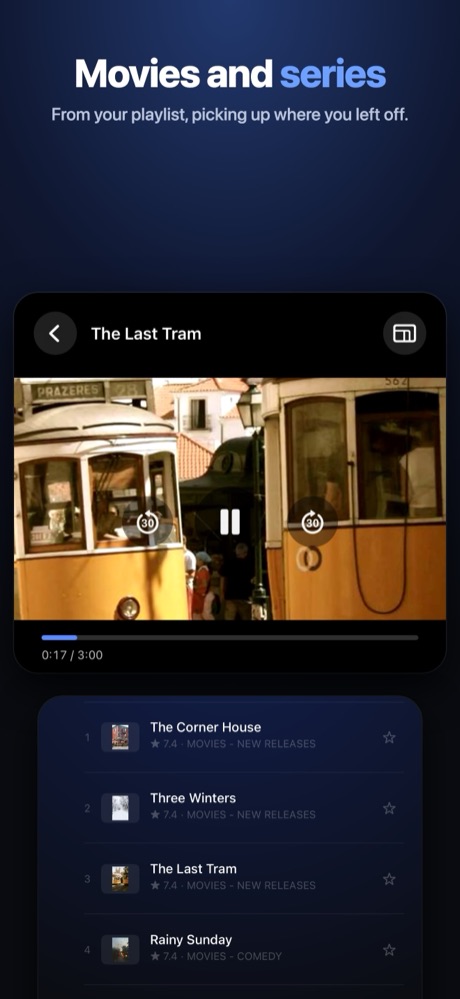
Seasons and episodes, with a seek bar that responds even on panels that answer range requests badly.
Subtitles and audio tracks
Original or dubbed, with or without subtitles, chosen over the video itself. Also in films that carry several in the same language.
Picks up where you left off
Recently watched, your favourites and the channel search, always a couple of presses away.
Several lists at once Full version
Switch from one to another without retyping anything, and without losing the favourites of either.
The same app on every device of yours
iPhone, iPad, Android phone and tablet, and Android TV. The interface adapts to the remote or to your finger; it isn't the phone one stretched.
Search programmes, not just channels Full version
Type a title and it tells you which channel it's on and at what time, across the coming days.
Your list, your way Full version
Hide the categories you'll never watch and put the ones you will up front. With a big list that's the first thing you need.
Doesn't take a minute to start
A series asks for its episodes when you open it, not at launch. The list paints instantly, however big it is.
And what it doesn't carry
Half the category makes its money selling you while showing you your own list. There's none of that here — not out of virtue, but because there's nowhere to put it.
- Not one ad. None, anywhere, in any version.
- No analytics, no trackers. No measurement, no advertising identifiers, no third parties watching what you play.
- No sign-up, no account. It opens and works. You never give an email address.
- No servers of ours. Your credentials are encrypted against the device's own keystore and never leave it. There is nowhere to send them to.
What it costs
It downloads free and there's no account to open. Part of it is paid for, and it's worth knowing which part before you install it.
- Free, with no expiry date: your channels with the dropouts ridden out, the health of your line with every dropout of the week, what's on now, films and series with their subtitles, and picking up where you left off.
- Full version: the complete guide, watching what already aired if your provider keeps it, the report for your provider, sending a live channel to a Chromecast, several lists at once, programme reminders, Picture in Picture, playing with the screen off, searching the whole guide, and hiding and reordering your categories. On Android, recording on the device as well.
- Bought inside the app, either a yearly fee or a one-off purchase that doesn't expire. On the App Store, the yearly fee comes with a 7-day free trial, and cancelling before it ends costs nothing. Each store shows the price in your currency, and the store handles the purchase from start to finish: there's no payment page and no user account here.
Zapa Player does not include channels. No lists, no subscriptions, no catalogue. It opens empty.
It works with the service you already pay for: an Xtream Codes account — address, username and password — or an M3U playlist by link. If you have neither, this app is of no use to you — and we'd rather say so here than afterwards.
Zapa Player is a playback tool. It does not include, host or distribute audiovisual content of any kind. What you see depends entirely on the service each person configures, and it is that person's responsibility that the service they use is legitimate.